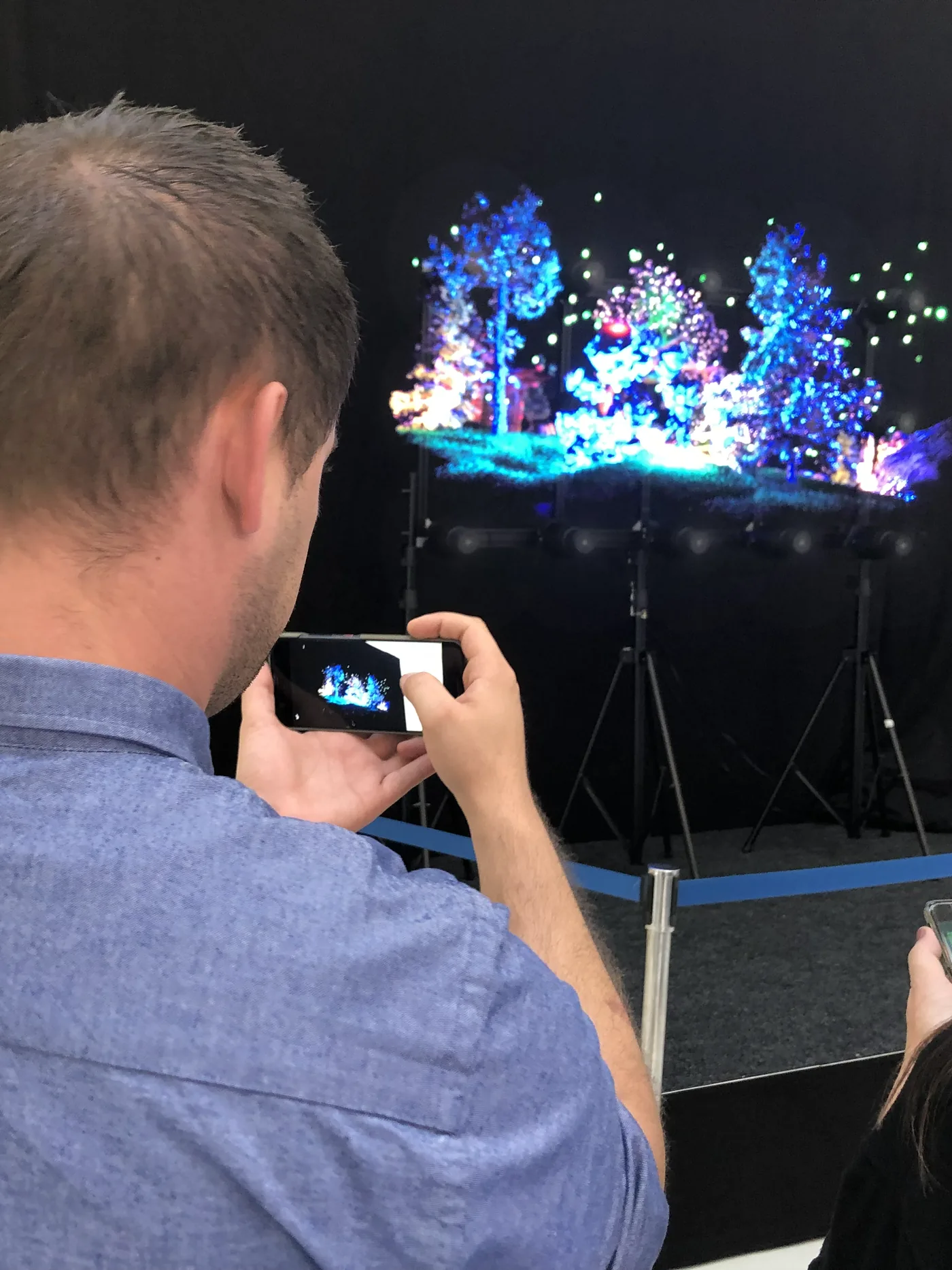
A holographic display is only as effective as the content it plays: poorly designed content wastes premium equipment. This guide explains what content for HYPERVSN 3D hologram fans needs (a black background, smooth animation at 30 frames per second or more, a centred subject, a seamless loop), which file formats and resolutions to use, and which tools to create it with, from beginner to professional.
On this page
Key takeaways
- Content must use transparent or black backgrounds to maximise the floating effect
- Standard video formats .mov, .mp4, .mkv, and .avi are natively supported
- HYPERVSN 3D Studio enables creation without prior technical skills
- Bright, saturated colours offer the best holographic rendering
- A content budget planned from the start protects the hardware investment
Understanding holographic content specifics
Unlike traditional screens, holographic displays create the illusion of objects floating in empty space. This particularity imposes specific design constraints that every creator must master to achieve optimal results.
The persistence of vision principle underlying HYPERVSN systems requires high frame rate content. Smooth animations at a minimum of 30 frames per second guarantee stable imagery without perceptible flickering. Abrupt movements or sharp cuts disrupt the effect and reveal the device’s mechanics.
Background plays a crucial role in the holographic illusion. Visual elements must appear on transparent or black backgrounds to create the characteristic floating effect. Any coloured or textured background breaks the illusion and transforms the hologram into a simple circular screen.
Perceived depth distinguishes holographic content from standard 2D content. Animations exploiting the Z-axis, with objects approaching and receding from the viewer, maximise visual impact. This apparent three-dimensionality constitutes the technology’s unique added value.
Formats and technical specifications
The HYPERVSN platform accepts standard video formats widely used in the creative industry. Files in .mov, .mp4, .mkv, and .avi formats work natively without prior conversion. This compatibility facilitates integration with existing production workflows.
Optimal resolution depends on the configuration. For a single HYPERVSN unit, an 880 × 880 pixel resolution fully exploits the device’s capacity. HYPERVSN holographic walls made of several units require proportionally higher resolutions, which depend on how the units are arranged.
The H.264 codec offers the best balance between visual quality and file size for holographic content. Typical bitrates range from 10 to 50 Mbps depending on animation complexity and loop duration.
For 3D modelling, FBX and OBJ are the usual exchange formats between creation software: FBX carries geometry, textures and animation, OBJ static geometry and its materials. The finished animation is then rendered as a video file for playback.
Creation tools: from beginner to professional
HYPERVSN 3D Studio: accessible creation
The web-based HYPERVSN 3D Studio tool makes holographic creation accessible without prior technical skills. It converts logos, text and 2D images into 3D animations in a few clicks.
Key features include automatic 3D text generation with rotation effects and direct image import with volumetric extrusion. Ready-made templates cover common use cases: product presentations, promotions, welcome messages.
A real-time preview simulates the final rendering on the device, avoiding surprises after publication. Direct export to connected HYPERVSN devices simplifies deployment.
Professional 3D software
Creative studios use their usual tools to produce premium holographic content. Blender, Cinema 4D, Maya, and 3ds Max export compatible files with appropriate export settings.
The Unity and Unreal Engine game engines open up advanced interactive possibilities. Real-time applications respond to environmental sensors, creating personalised experiences impossible with pre-recorded video. Our case study of a holographic avatar at a university reception shows one example: a digital human animated in real time by a 3D engine.
Photogrammetry captures real objects as photorealistic 3D models. This technique particularly suits product presentations where visual authenticity takes precedence over artistic stylisation.
Design best practices
Optimising for the floating effect
Objects centred in the frame with surrounding space reinforce the floating illusion. Elements that reach the edges of the frame appear truncated and break the holographic effect.
Slow rotations around a vertical axis constitute the most effective movement for product presentations. This simple yet hypnotic animation maintains attention while allowing observation from all angles.
Progressive transitions between elements avoid visual breaks. Fades, morphings, and particle animations create fluid continuity between successive content pieces.
Colours and contrast
Bright, saturated colours stand out more on holographic displays. Neon tones, pure whites, and electric blues maximise visual impact.
Dark or grey elements partially disappear into the transparent background. Avoid subtle nuances that lose definition in final rendering.
The brightness of HYPERVSN devices allows excellent visibility, but content must remain contrasted to maintain readability in variably lit commercial environments.
Duration and loops
Loops of 10 to 30 seconds optimise engagement without tiring recurring viewers. Passers-by in retail environments see the same content several times per visit.
The transition from end to beginning must be imperceptible. A perfect loop maintains the illusion of perpetual motion without any visible jump.
Playlists alternating multiple short content pieces outperform a single long piece. Variety maintains interest and makes it possible to adapt messages to the time of day.
Professional creation and content budget
Demanding projects, such as photorealistic product animations, personalised brand avatars or complex interactive experiences, call for a 3D studio familiar with the constraints described above. HYPERVISUAL creates such 3D content for its clients, in addition to supplying and installing the hardware, which makes frequent iterations and close coordination with marketing easier.
Plan a real content budget from the start: skimping on creation devalues premium equipment and compromises return on investment. Our article on holographic advertising ROI explains what 3D campaigns actually measure.
Dynamic data integration
Holographic content can integrate real-time data feeds for constant relevance. Stock prices, weather, sports scores, or performance indicators animate visualisations with updated information.
Content management systems enable remote message updates without physical intervention. Promotions change instantly, schedules adjust automatically, announcements adapt to events.
Social media integration displays brand publications, mentions, and hashtags in real time. This interactivity encourages digital engagement while showcasing the brand community.