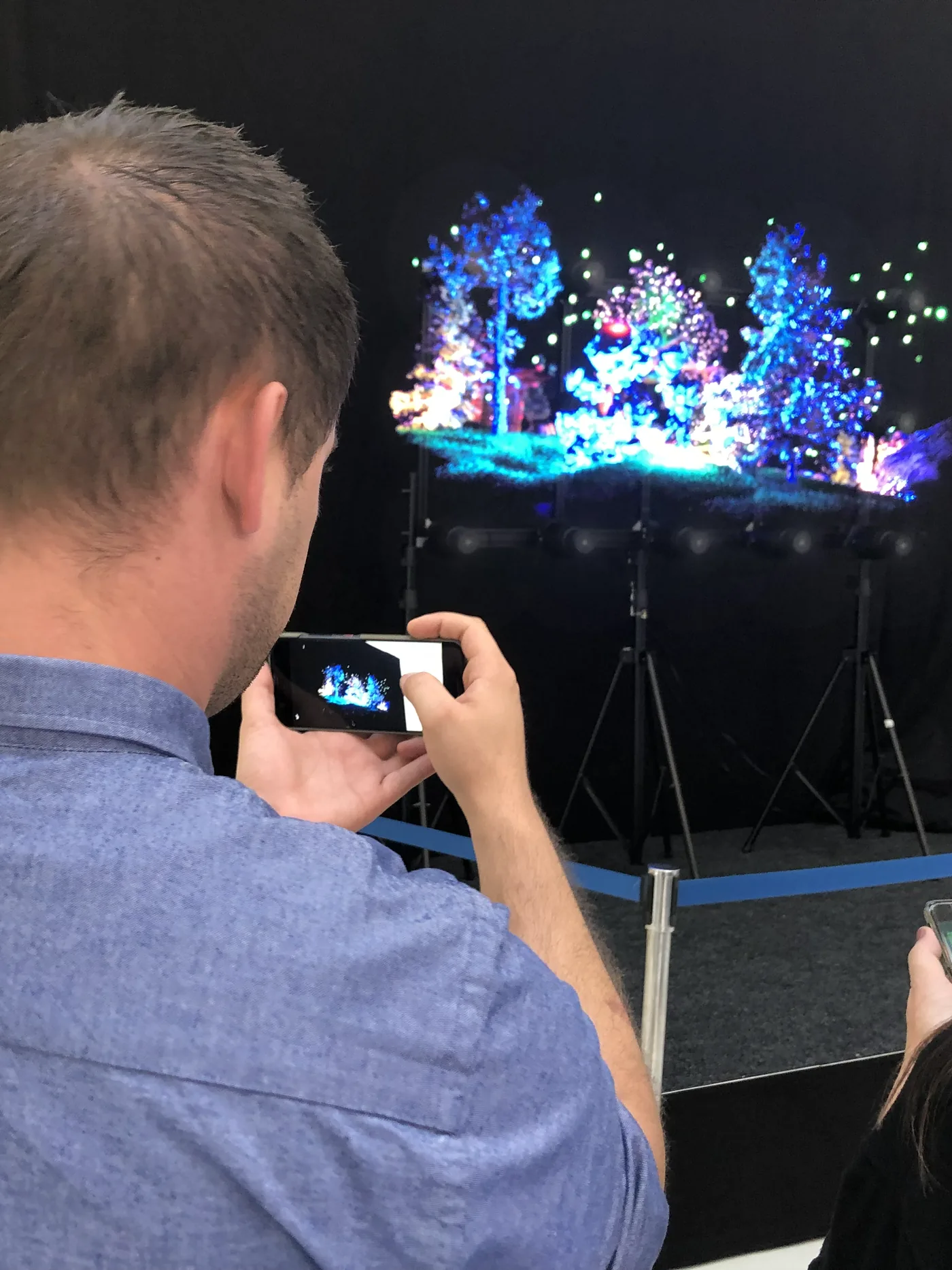
A HYPERVSN holographic wall synchronises several holographic fans so that they form one large 3D image, from a few units in a shop window to the 420 units of the largest installation built so far. This guide explains how these walls work, which configurations are available, which uses they suit and what to plan before installing one.
On this page
Key takeaways
- A HYPERVSN wall is made of synchronised units: in standard packs of 6, 9, 12, 15 or 24 units, for a 57 to 130 inch image, or made to measure.
- HYPERVISUAL sells multi-unit walls but does not rent them; individual HYPERVSN units can be bought or rented, for example for an event or a test.
- The largest HYPERVSN wall to date, in the entrance atrium of Sphere in Las Vegas, combines 420 synchronised units and stands about 15 metres high, according to the manufacturer.
- The units are intended for indoor use: a dark or neutral background and no direct light on the blades give the best result.
- The result depends as much on the 3D content as on the hardware: plan a content budget from the start and measure the effect site by site.
How a HYPERVSN wall works
Each HYPERVSN unit is a fan fitted with LEDs that spins fast enough to become invisible: through persistence of vision, the image remains visible and seems to float in the air. The effect is strongest with 3D video. The unit offered by HYPERVISUAL has a 56 cm fan and a resolution of 880 × 880 pixels.
In a wall, several units are synchronised to display one continuous image; HYPERVSN markets this format as the SmartV Wall. Standard packs contain 6, 9, 12, 15 or 24 units, for a 57 to 130 inch image, in grids such as 2 × 3 or 3 × 3; larger walls are made to measure. The hardware that synchronises the units is part of the configuration defined with HYPERVISUAL: you do not have to specify it yourself.
HYPERVISUAL sells HYPERVSN walls but does not rent them. Individual units, on the other hand, can be bought or rented.
Technical specifications
Image and brightness
The units are bright enough for well-lit interiors such as entrance halls or shopping centres. Brightness differs between models, so rely on the value given for the model in your offer rather than on a general figure.
Image sharpness matters most when viewers come close, within about two metres: in that case, choose the units and the content resolution with the viewing distance in mind.
HYPERVSN walls display both 2D and 3D content. The same installation can alternate spectacular holographic animations with simpler information, for example product presentations during the day and company information in the evening.
Connectivity and software
SmartV units have an on-board HDMI input for external video sources and a live-stream function, which makes it easier to integrate them with existing audiovisual equipment.
Content is managed with HYPERVSN’s software suite: a web-based content management system and a mobile app, with which you schedule and update the content remotely.
Structure, mounting and safety
A HYPERVSN wall comes with a frame that holds the units at the right spacing and makes installation easier. A single unit can be fixed to a wall or mounted on a tripod.
Where the rotating blades are within reach of the public, the units are placed out of reach or behind a protective cover. This is decided case by case, particularly in busy public areas.
Reference installations
Sphere, Las Vegas: the largest HYPERVSN wall to date
Since the venue opened in 2023, the entrance atrium of Sphere in Las Vegas has housed the largest HYPERVSN wall built so far, which the manufacturer describes as the world’s largest holographic technology project to date. The wall measures about 30 × 50 feet, some 15 metres high, and combines 420 synchronised SmartV units. It greets visitors with interactive 3D content.
The installation shows how far the modular principle can go: hundreds of units synchronised into a single image. Most projects are far smaller, from a few units in a shop window to a few dozen in an entrance hall.
CES 2024: technology demonstrations
For CES 2024 in Las Vegas, HYPERVSN announced a 40-unit holographic wall and a more compact 3 × 5 installation for live streaming.
The manufacturer also presented the SmartV Digital Avatar, a holographic character with which visitors can hold a real-time conversation thanks to artificial intelligence.
SmartV Slots, a holographic slot machine made of three SmartV Solo L units, showed the potential of the format for the entertainment and gaming sector.
Recommended configurations by use case
Retail and shop windows
In a shop window, a compact wall of 2 × 3 to 3 × 4 units has a strong visual impact while remaining in proportion to a standard shop front, with enough surface to show a product in 3D at life size.
A portrait layout suits tall products such as bottles, clothing or sports equipment; a landscape layout suits wide products such as electronics or furniture. The modular design lets you adapt the proportions to the products you want to highlight.
Corporate reception halls
In a reception hall, a larger wall behind the reception desk, from 4 × 6 units upwards, creates a striking backdrop that supports the brand image from the very first contact with visitors.
With a digital avatar, such an installation can also greet visitors: they can get basic information, find their way in the building or announce their arrival without tying up staff. Our case study of a holographic avatar at a Swiss university reception shows this use in practice.
Events and trade shows
At events, a wall has to be transported, assembled and dismantled at each show. Sizes typically range from 3 × 5 units for a standard stand to larger custom walls for main installations.
HYPERVISUAL sells HYPERVSN walls but does not rent them: a wall is an investment for organisations that will reuse it at several events. For a one-off event, individual HYPERVSN units can be rented instead.
Museums and cultural spaces
Cultural institutions can use HYPERVSN walls to bring collections to life. In a gallery, a wall of 4 × 4 to 5 × 6 units acts as a holographic window that puts the exhibited works in context with historical or explanatory animations.
A wall can show objects that have disappeared, archaeological reconstructions or the stages of an artist’s work. Visitors can see a fragile artefact from every angle without any risk to the original, or follow a work from the first sketch to the finished piece.
Content creation for HYPERVSN walls
Formats and tools
Content is uploaded to the media library of HYPERVSN’s content management system, up to 1 GB per file. The right resolution depends on the wall configuration and on the viewing distance; in a wall, a single piece of content is spread across all the units.
HYPERVSN’s 3D Studio, built into the platform, lets you create moving text, visual effects and holographic objects without design experience. Designers who use standard 3D software can also export from their usual tools with suitable settings. Our article on holographic content best practices goes into more detail.
Custom content
For demanding brands, custom content remains the best option. HYPERVISUAL creates this custom 3D content for its clients, from photorealistic product animations to brand avatars and complex interactive experiences, which call for specialised expertise.
Interactive features
Interactivity and audience
HYPERVSN presents the SmartV Wall as able to render 3D content in real time and react to the audience. With sensors, an animation can start when a visitor approaches or makes a gesture, which creates a playful, memorable experience, particularly for young audiences and at events.
If you add audience measurement, it must remain anonymous: no facial recognition, no emotion detection and no individual tracking.
Live streaming
The live-stream function broadcasts a live video feed on the wall. Remote conferences, event broadcasts or company announcements then benefit from the visual impact of holography.
A speaker filmed in another location can thus appear on the wall as a hologram, with a stronger presence than on a standard video call.
Practical installation considerations
Environment
HYPERVSN units are intended for indoor use. A dark or neutral background strengthens the contrast and the impression that the image is floating; direct light on the blades should be avoided, as it reduces legibility.
Like any electronic equipment, the units need sufficient air circulation, particularly in large configurations. Built-in installations must provide vents or dedicated cooling.
Maintenance and warranty
Routine care consists mainly of cleaning the blades and checking the connections. Because the wall is modular, a single unit can be replaced without affecting the rest of the installation.
Walls and units sold by HYPERVISUAL are covered by the 2-year HYPERVISUAL warranty.
Budget and ROI
The investment in a HYPERVSN wall depends on the number of units, the supporting structure and the level of interactivity. A quotation usually bundles hardware, installation, training and a first batch of content: ask for these lines separately, since they evolve very differently over the life of the installation.
The business case rests on three levers: attention captured at the point of decision, the printing and logistics costs that a digital display removes, and the differentiation of an installation that visitors photograph and share. Payback depends on how intensively the wall is used commercially, so it should be modelled site by site: set a baseline before installation, then compare the same indicators afterwards. Our article on holographic advertising ROI explains which indicators to track and how to calculate the return.
Recommendations for your project
The right size of wall depends on the available space, viewing distances, communication objectives and budget. HYPERVISUAL reviews these points with you, visits the site if necessary and then sends you a written offer.
Plan the content from the start: professional-quality animations need a real budget, and mediocre content on a premium installation wastes the investment.
A gradual approach limits the risk: test your content on individual HYPERVSN units, which can also be rented, before investing in a wall, which is sold only.