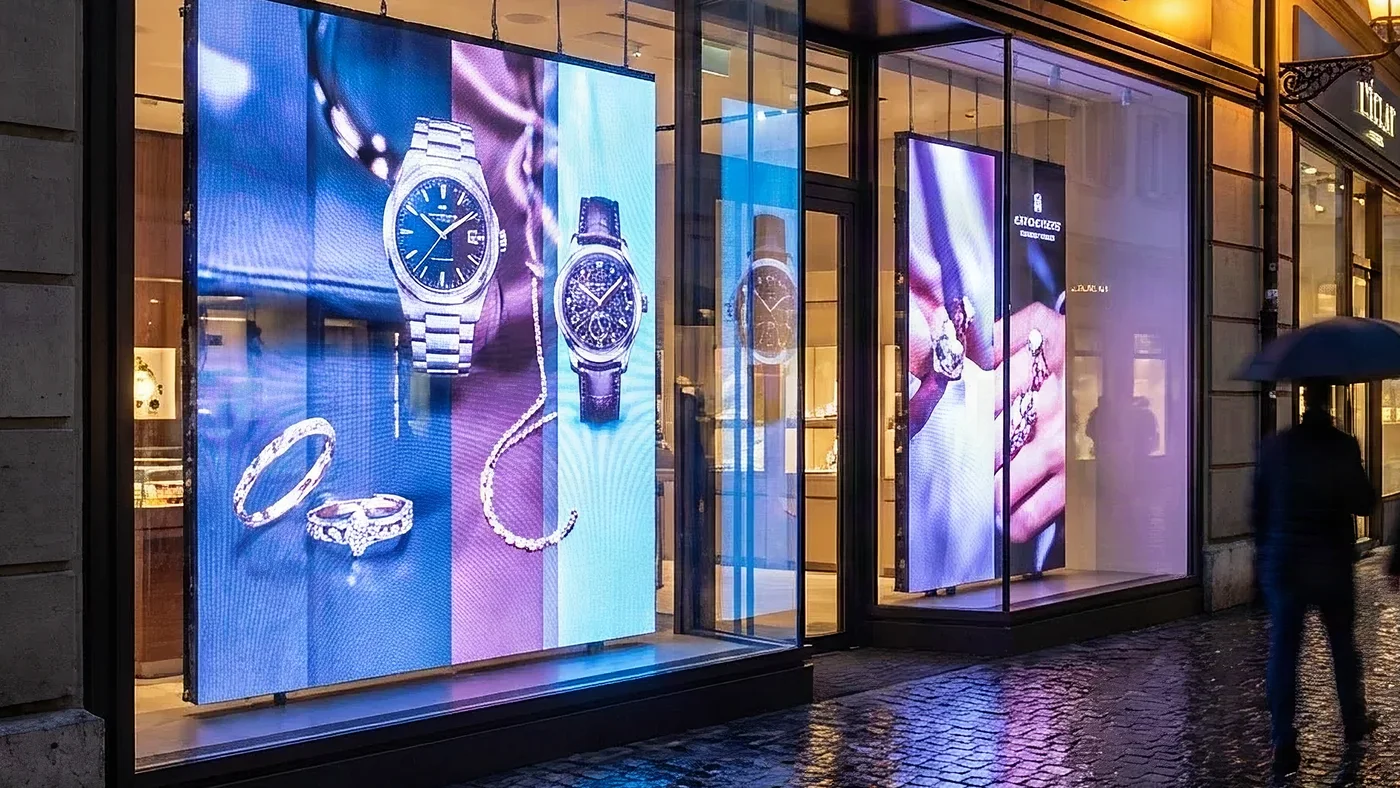
LED display brightness is measured in nits (candelas per square metre), and the level you need depends on the ambient light where the screen will be seen: a few hundred nits in a dimly lit room, 6’000 nits or more in direct sunlight. This guide explains the difference between nits, lumens and lux, gives typical brightness ranges by environment and lists the technical factors to check before you buy.
On this page
Key takeaways
- Nits measure luminance (1 nit = 1 cd/m²): the universal standard for comparing LED display brightness
- Typical ranges: 300–2’500 nits indoors depending on daylight, 2’500–4’000 nits in covered outdoor areas, 4’000–10’000+ nits in full outdoor conditions
- Critical factors: brightness uniformity, thermal management for sustained output, and brightness loss over the years
- Ambient light sensors adjust brightness throughout the day: the screen stays readable and uses less energy
Understanding brightness measurements
Nits: the industry standard
Nits measure luminance, the intensity of light emitted per unit area. One nit equals one candela per square metre (cd/m²). This measurement has become the universal standard for comparing LED display brightness because it expresses light output per unit of area, independently of screen size.
When evaluating LED displays, nits provide the most accurate comparison between different products. A 3’000-nit display will appear equally bright regardless of whether it measures 2 metres or 20 metres across.
Lumens vs. nits: why the distinction matters
While lumens measure total light output (common in projector specifications), nits measure light intensity per area. The same 3’000-lumen projector looks dimmer on a large screen than on a small one. LED displays use nits because each pixel generates its own light, making per-area measurement more meaningful.
For a perfectly diffusing surface, 1 nit corresponds to about 3.14 lumens per square metre (π lm/m²); for a real screen, the ratio depends on how the light is distributed. Another conversion is often confused with it: 1 foot-lambert, the unit used in cinema projection, equals about 3.43 nits.
Lux: measuring ambient light
Lux measures illuminance, the light falling on a surface. Understanding ambient lux levels helps determine the brightness your display needs. A typical office runs 300–500 lux, while direct sunlight can exceed 100’000 lux.
Brightness requirements by environment
The ranges below are typical orders of magnitude: the ambient light at the actual location decides. For the other differences between indoor and outdoor screens, see our comparison of indoor and outdoor LED screens.
Indoor low-light environments (300–800 nits)
Corporate boardrooms, control rooms and museums with controlled lighting operate effectively with 300–800 nits. Higher brightness in these settings can cause eye strain and unnecessary energy consumption. Many premium indoor displays offer 500–600 nits as an optimal balance.
Indoor standard environments (800–1’500 nits)
Retail stores, airports, shopping centres and lobbies with moderate ambient light require 800–1’500 nits. This range handles fluorescent lighting and large windows. Most professional-grade indoor Digital Signage targets this specification.
High-brightness indoor (1’500–2’500 nits)
Sun-facing installations and spaces with significant natural light demand 1’500–2’500 nits. This category bridges indoor and semi-outdoor applications, providing flexibility for challenging lighting conditions. Shop windows are a case of their own: depending on how much sun reaches the glass, a window display screen needs 1’000 to 5’000 nits.
Semi-outdoor (2’500–4’000 nits)
Covered outdoor areas, transit shelters, building overhangs, and shaded storefronts need 2’500–4’000 nits. These displays must handle indirect sunlight while remaining visible throughout the day.
Outdoor standard (4’000–6’000 nits)
Full outdoor installations with partial sun exposure (car parks, building façades and outdoor retail) require 4’000–6’000 nits. This range ensures readability during most daylight hours.
Outdoor high-brightness (6’000–10’000+ nits)
Direct-sunlight applications such as motorway billboards, sports stadiums and beach-facing displays demand 6’000–10’000+ nits. These installations must compete with full solar intensity while maintaining vibrant colours and sharp contrast.

Technical considerations for optimal performance
Brightness uniformity
A display’s rated brightness means little if light distribution varies significantly. When comparing displays, ask for the uniformity specification (how edge brightness compares with centre brightness), as poor uniformity creates distracting hot spots and dim corners.
Thermal management and sustained brightness
LED brightness generates heat. Without proper thermal management, displays automatically dim to protect components. Quality displays maintain rated brightness continuously, while budget options may achieve peak brightness only briefly. Ask suppliers about sustained brightness specifications, not just peak ratings.
Degradation over time
All LEDs gradually lose brightness, and lower-quality components lose it faster. Factor expected lifespan into your brightness calculations: plan enough headroom for the screen to still reach the brightness you need after years of operation, and ask the manufacturer for its declared brightness loss over time.
Automatic brightness adjustment
Modern LED displays include ambient light sensors that automatically adjust brightness throughout the day. This reduces energy consumption while maintaining optimal visibility, as our guide to energy-efficient LED displays explains. Automatic adjustment also extends component lifespan by avoiding unnecessary operation at maximum brightness.
Measuring and verifying brightness
Professional measurement
Calibrated luminance meters provide accurate readings. The usual protocol is to display a full-screen 100% white image and to measure at the centre and at the edges.
Practical verification
Before purchase, check the specification against your actual lighting conditions: showroom lighting rarely matches installation environments. We visit the site if necessary, and we come back with a written offer.
From our projects: two very different brightness briefs
Two HYPERVISUAL projects show how far the same question can diverge. For a high-jewellery house, nine boutique windows were equipped with open frame panels set behind two-way mirrors: a mirror when off, a screen when on. Behind shop glass in daylight, nothing below 1’000 to 1’500 nits stays readable, and that requirement drove the panel selection before any other criterion. The full build is documented in our case study on presence detection behind two-way mirrors.
In a design study for an international brand rolling out temporary retail spaces in Swiss shopping centres, the brief was different again: 1’000-nit panels, but paired with an ambient light sensor. A mall is a moving light environment (skylights, retail lighting, neighbouring windows), so the screen has to stay readable at peak hours and stop dazzling when the surroundings darken. Fixed maximum brightness would have failed at both ends. Our case study of a ten-store pop-up network describes the project in detail.
Making the right choice for your project
Selecting appropriate brightness involves balancing visibility, energy efficiency, and budget. Over-specifying wastes money and increases operating costs; under-specifying results in poor visibility and ineffective communication.
Consider these factors:
- Ambient light conditions at different times of day
- Viewing distance (farther viewers need higher contrast, not necessarily brightness)
- Content type (dark or low-contrast content needs more brightness headroom than bright, high-contrast graphics)
- Operating hours and energy costs
- Expected lifespan and maintenance access
Weighing these factors together, rather than simply choosing the brightest screen available, gives a display that stays readable at every hour without wasting energy.