Since 28 June 2025, the European Accessibility Act has required the payment terminals and interactive self-service terminals it covers to be usable by people with disabilities. This guide explains which installations fall within its scope, which technical criteria apply (EN 301 549, WCAG 2.1), how to build accessibility into procurement, content and testing, and what it means for projects in Switzerland.
On this page
Key takeaways
- Nearly a quarter of people aged 16 and over in the EU (23.9% in 2024, according to Eurostat) have a long-standing limitation in their usual activities due to health problems
- Since 28 June 2025, the European Accessibility Act (Directive (EU) 2019/882) has applied to the products and services it lists; for Digital Signage, this mainly means payment terminals and interactive self-service terminals dedicated to covered services such as passenger transport or banking
- The Directive names no standard; the European standard EN 301 549 provides testable criteria and takes up WCAG 2.1 level AA, including contrast ratios of 4.5:1 for standard text and 3:1 for large text
- Member States may allow self-service terminals lawfully used before 28 June 2025 to remain in service until the end of their economically useful life, but no longer than 20 years after their entry into use
Accessibility concerns a large audience: according to Eurostat, 23.9% of people aged 16 and over in the EU had a long-standing limitation in their usual activities due to health problems in 2024. Understanding these requirements is therefore not merely about regulatory compliance; it is about visual communication that serves everyone.
Understanding the European Accessibility Act
The European Accessibility Act (Directive (EU) 2019/882) harmonises accessibility requirements for certain products and services across the EU member states. It has applied since 28 June 2025 to the products it lists that are placed on the market after that date and to the services it lists that are provided to consumers. It does not cover every screen: its products include payment terminals and, when dedicated to the services it covers, ATMs, ticketing machines, check-in machines and interactive self-service terminals providing information; its services include passenger transport, consumer banking and e-commerce.
For Digital Signage, this means that an interactive kiosk that sells transport tickets, handles check-in or provides transport information falls within its scope, while a screen that only broadcasts content generally does not: for transport information, the Directive limits information screens to interactive screens. Where a terminal is covered, the requirements concern everything the user deals with: the hardware, the user interface and software, and the information presented. Microenterprises providing services, as defined by the Directive, are exempt.
Existing equipment is not affected overnight. Member States must provide a transitional period ending on 28 June 2030, during which service providers may continue to use products they were already lawfully using to provide similar services. They may also allow self-service terminals lawfully used by service providers before 28 June 2025 to remain in service until the end of their economically useful life, but no longer than 20 years after their entry into use (Article 32). Covered terminals placed on the market since 28 June 2025 must comply from the outset.
Technical standards and requirements
The Directive sets out functional requirements in its Annex I but does not name a standard. The European standard EN 301 549 (accessibility requirements for ICT products and services) provides testable criteria and takes up the WCAG 2.1 level AA success criteria for web content. For Digital Signage, these requirements translate into specific criteria across several dimensions.
Visual accessibility starts with contrast: WCAG 2.1 level AA requires at least 4.5:1 for standard text and 3:1 for large text. The Directive asks for flexible magnification, brightness and contrast, interoperability with assistive technologies such as screen readers and, on self-service terminals, text-to-speech technology. Font choices matter too: highly legible typefaces, including some designed specifically for low-vision readers, are good practice for accessible signage.
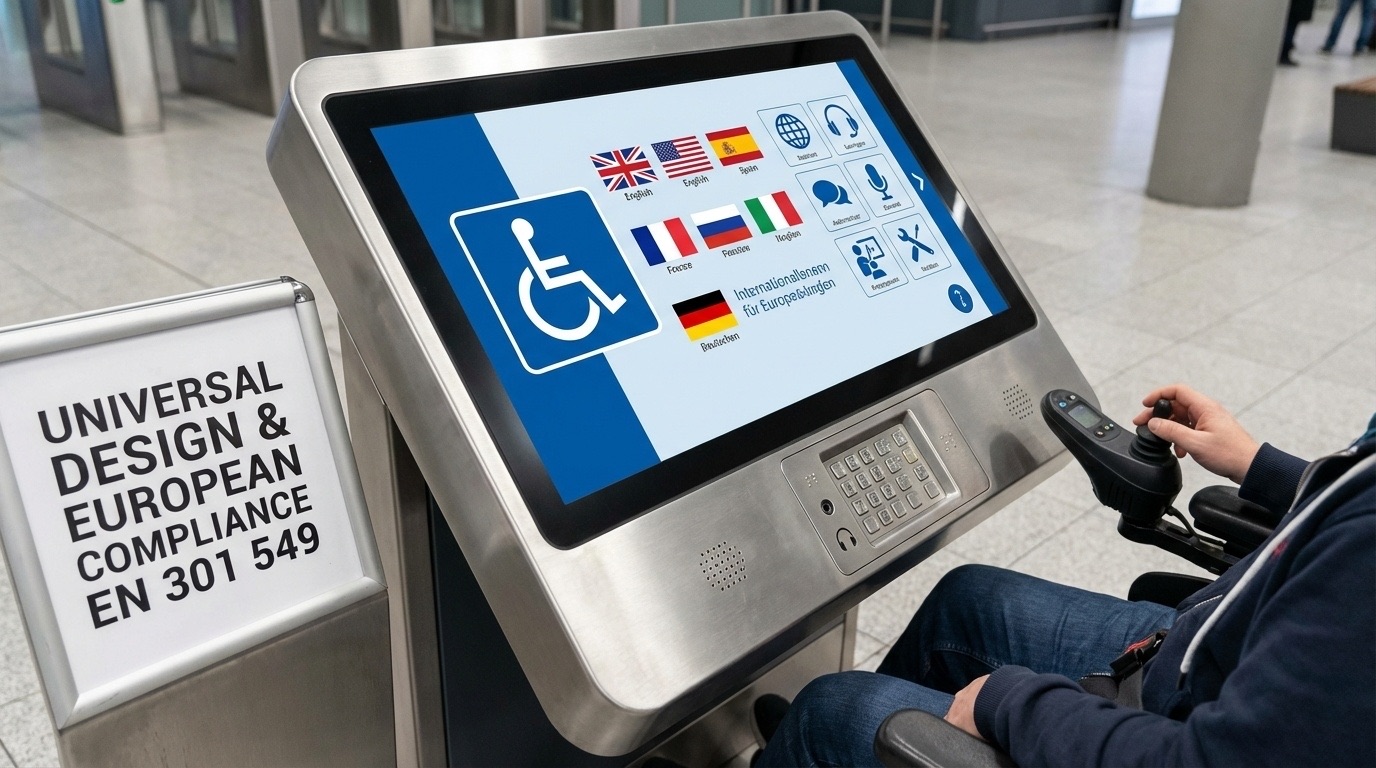
Physical accessibility addresses the fact that wheelchair users and people with limited mobility must be able to operate self-service terminals independently. The Directive requires products to avoid modes of operation that need extensive reach or great strength and to offer alternatives to fine motor control. For stationary equipment such as kiosks, EN 301 549 sets reach ranges: with an unobstructed forward reach, at least one of each type of control must sit between 380 mm and 1’220 mm above the floor, and the screen must be legible from a point 1’015 mm above the floor, the viewpoint of a user seated in a wheelchair. A touchscreen alone is not enough: the Directive requires alternatives to visual, auditory, speech and tactile elements, for example a tactile keypad combined with audio output.
Auditory accessibility works in both directions: visual content needs audio alternatives, and audio content needs visual alternatives. Videos need captions, and audio announcements need an accompanying visual display. Self-service terminals must allow the use of personal headsets, which also keeps speech output discreet, and when they use audio they must be compatible with hearing technologies such as hearing aids and cochlear implants.
Cognitive accessibility requires clear, logical interface structures with consistent navigation. Information must be presented in an understandable way, with complex processes broken into manageable steps. The Directive also requires enough, and flexible, time for interaction: when a terminal expects a timed response, it must alert the user through more than one sensory channel and allow the time to be extended.
Implementation across Digital Signage categories
Different types of Digital Signage installations face distinct accessibility challenges requiring tailored approaches.
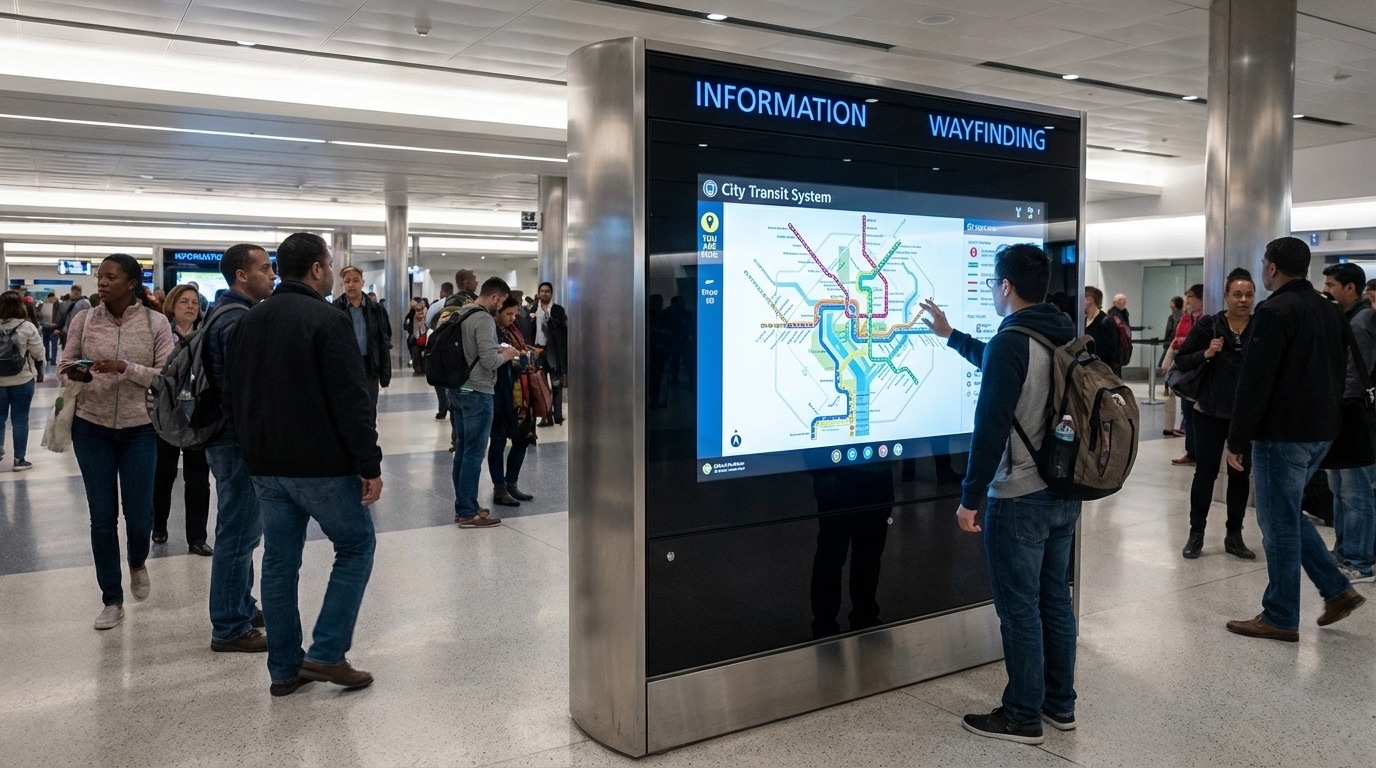
Interactive kiosks and wayfinding systems carry the most stringent requirements, as users interact with them directly to complete tasks; those dedicated to covered services, such as ticketing or check-in, fall directly within the EAA. The hardware must accommodate various physical needs: controls within reach from a wheelchair, sufficient clear floor space in front of the terminal, and tactile markers that let blind users locate the interface. Software should offer several input methods for the same functions, for example touchscreen, physical buttons and voice commands. Our interactive kiosk buyer’s guide covers the other points to check when choosing interactive kiosks and totems.
Informational displays showing schedules, directories or announcements are generally outside the EAA when they are not interactive, but the same principles keep their content perceivable in all visual conditions: automatic brightness adjustment based on ambient lighting, adequate display times for text, and animations used sparingly so as not to trigger photosensitive seizures. Essential information should never rely on colour alone. These principles apply equally to the public information screens of Smart City projects.
Digital menu boards and retail signage require careful attention to text size and contrast. The viewing distance calculations that determine readable font sizes should account for users with moderate visual impairments, which in practice means larger text than minimum legibility guidelines suggest. When selecting a display, check that its pixel pitch is fine enough for clear text and that the resolution supports the larger fonts needed for accessibility. QR codes linking to accessible mobile versions provide a useful alternative for users who cannot read distant displays.
Corporate communication displays reserved for employees, such as meeting room schedulers and internal information screens, are not among the products and services listed by the EAA. Applying the same principles there remains good practice, so that every employee can use them.
Building accessibility into procurement
Organisations deploying Digital Signage should build accessibility requirements into their procurement processes. Supplier contracts should explicitly require conformance with the relevant clauses of EN 301 549, with verification mechanisms and remediation clauses for non-conformance.
The request for proposal (RFP) should detail specific accessibility requirements rather than simply referring to “EAA compliance”. This includes hardware specifications for physical accessibility, software capabilities for compatibility with assistive technologies, and content management features that support the creation of accessible content.
Vendor selection criteria should include demonstrated accessibility expertise, references from similar accessible deployments, and a commitment to maintaining accessibility through software updates and maintenance contracts.
Content accessibility best practices
Hardware and software compliance alone do not make Digital Signage accessible. The content displayed must also meet accessibility criteria, which requires ongoing attention throughout the system’s operational life.
Text content must be sized for the viewing distance: a common rule of thumb is about 25 mm of letter height per 3 m of viewing distance, and more for readers with low vision. Line spacing, word spacing and alignment all affect readability for users with visual or cognitive impairments.
Visual content must never convey essential information through colour alone. Icons should be paired with text labels, and infographics need text alternatives explaining their meaning. Videos with sound need captions, and flashing content that could trigger seizures must be avoided.
Real-time content from data feeds poses particular challenges, as information that changes constantly cannot be checked by hand. Systems should apply validation rules so that incoming content meets accessibility criteria before display, with a fallback message when a feed does not.
Multilingual accessibility adds complexity to international deployments. Each language version needs its own accessibility check, and the language switching mechanism must itself be accessible.
Testing and validation
Accessibility cannot be verified with automated tools alone. Software testing identifies many technical compliance issues, but real accessibility requires validation with users who have disabilities.
User testing should involve participants with the disabilities relevant to Digital Signage: blind and low-vision users, wheelchair users, people with motor impairments affecting fine manipulation, and people with cognitive disabilities affecting reading and comprehension.
Testing protocols should cover the complete user journey, from approaching the display through completing the task to leaving. Environmental factors such as lighting, noise and space constraints must reproduce real deployment conditions.
Periodic checks make sure that accessibility does not degrade over time as content changes, software is updated and hardware components wear. Scheduled accessibility audits, for example quarterly for high-traffic installations, maintain compliance throughout the system’s life.
The business case beyond compliance
While the EAA sets legal requirements, the business benefits of accessible Digital Signage go well beyond avoiding penalties. Accessible design improves usability for all users, not just those with disabilities: clearer interfaces, better contrast and more intuitive navigation benefit older customers, people with temporary impairments and anyone using a screen in difficult conditions.
Accessibility also widens the audience a screen can serve. The arithmetic is simple: nearly a quarter of people aged 16 and over in the EU have a long-standing activity limitation, and the share rises steeply with age, according to Eurostat.
Early compliance also puts organisations in a good position as requirements evolve: the reference standards are updated regularly, and the W3C published WCAG 2.2 in October 2023.
Implementation roadmap
For organisations starting out, a phased approach keeps complexity under control without losing sight of the deadlines.
Assessment phase: audit existing installations against the requirements, identify gaps and prioritise remediation according to replacement schedules and risk levels. New projects should integrate accessibility from the planning stage: that is where it costs least.
Procurement phase: update vendor requirements, contract templates and acceptance criteria so that conformance with EN 301 549 becomes mandatory. This prevents each new order from creating new accessibility debt.
Implementation phase: deal with non-compliant installations according to their replacement schedule. High-traffic, public-facing screens come before lower-volume internal systems.
Maintenance phase: ongoing governance, content guidelines, regular audits and continuous improvement. Accessibility degrades if nobody looks after it: a hastily added piece of content, a software update or a failed brightness sensor is enough.
Transparent LED displays and accessibility
Emerging technologies such as transparent LED displays raise their own questions. When deploying them, make sure the see-through effect does not undermine contrast requirements: whatever happens behind the screen becomes part of the background, and therefore part of legibility. Essential information belongs on areas with controlled contrast, not on the transparent zones.
What this means in Switzerland
Switzerland is not bound by the European Accessibility Act, but three factors make it relevant anyway. First, the Disability Discrimination Act (BehiG / LHand), in force since 2004, already applies to public transport, including its communication systems and ticketing, which covers ticket machines and passenger information. Second, a Swiss company that places products covered by the EAA on the EU market, or provides covered services to consumers there, must comply with it. Third, buyers can require accessibility: a tender can specify EN 301 549 or WCAG 2.1 level AA even where no law demands it, so check every specification for accessibility criteria.
One Swiss specificity deserves attention on interactive kiosks: accessibility has to hold in every language offered. A kiosk that is perfectly accessible in German and unusable in French or Italian fails a large part of its audience. And where a kiosk processes personal data, the Federal Act on Data Protection (FADP) also applies: data protection and accessibility are best designed together, not one after the other.
Conclusion
Digital Signage accessibility is both a regulatory requirement for the equipment the EAA covers and a principle of inclusive design for all the rest. The European Accessibility Act sets clear expectations for the terminals and services it lists, but compliance is only the starting point. Organisations that build accessibility into their Digital Signage strategy, from procurement through content creation to maintenance, create better experiences for all users.
The EAA has applied since 28 June 2025: for anyone deploying payment terminals or interactive terminals for covered services in the EU, accessibility is now a condition of the project. For every other screen, it brings broader reach, better user satisfaction and alignment with evolving standards.